What Bates numbers and a SHA-256 hash add
A Bates number is a unique identifier stamped on every page, so everyone in a case can refer to the same page without confusion. A SHA-256 hash is a fingerprint of the source data: if even one byte changed, the fingerprint would be completely different. Together they make a text message PDF easy to cite and tie it to a specific copy of the data.
Bates numbers
Bates numbering is named after the Bates Manufacturing Company, whose self-advancing stamp was used to number legal and business papers in order. Today the stamp is digital, but the idea is the same: every page produced in a matter gets its own sequential identifier, usually a short prefix plus a zero-padded number.
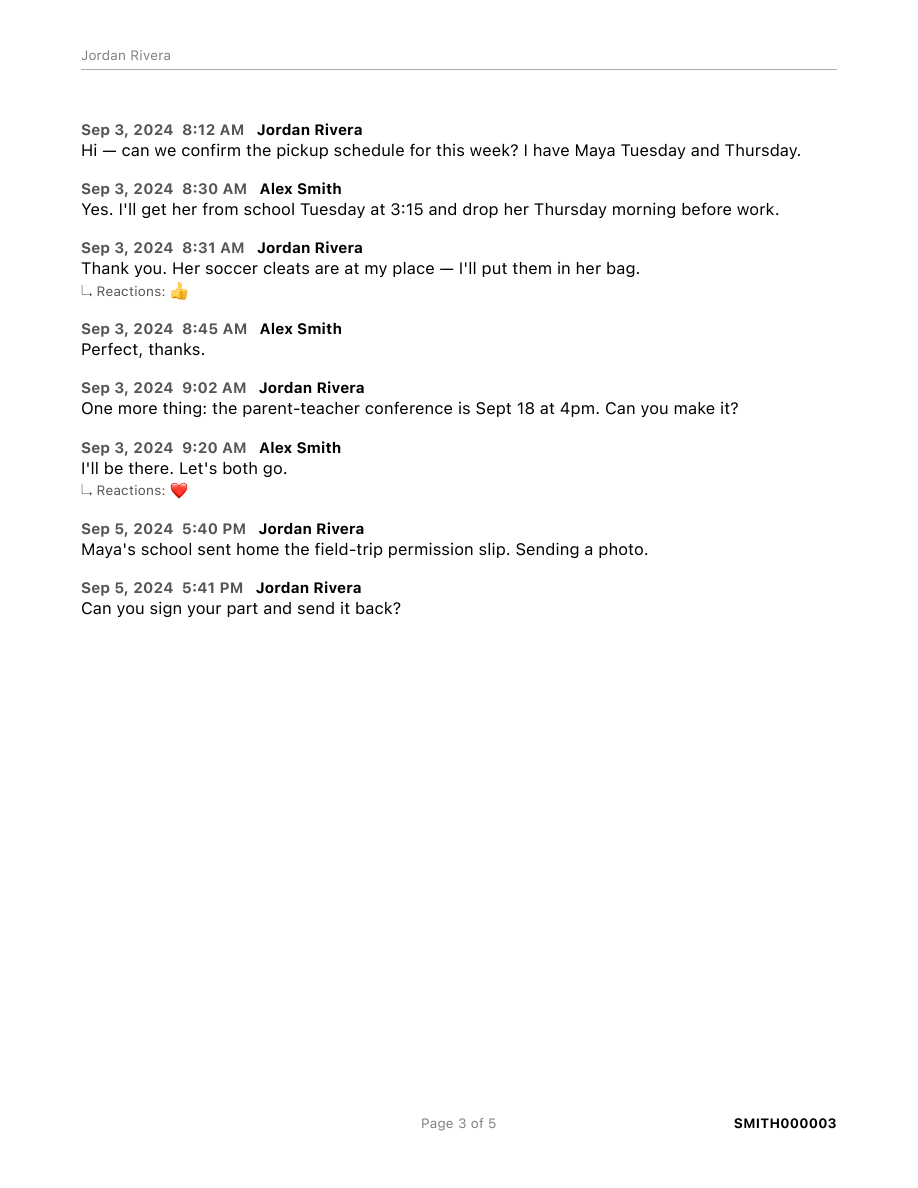
What that gets you:
- Precise references. "SMITH000014" means one page, in every copy, for everyone.
- Visible completeness. A continuous range, say SMITH000001 to SMITH000042, shows at a glance that no page was pulled out.
- Room for more. If your lawyer has already produced other documents, you can start at their next number so everything lines up.
In Legal Message Export you set the prefix, the starting number, and the padding. The cover page records the full Bates range, and every page, including the cover and the declaration, carries its number.
The SHA-256 hash
SHA-256 is a standard algorithm that turns any file into a 64-character fingerprint. The same file always produces the same fingerprint, and changing anything in the file, even a single character, produces a completely different one. It's widely used to show that a file hasn't changed.
Here's what Legal Message Export does with it:
- On import, it copies your Messages database (
chat.db) and never modifies the original. - It folds any pending changes into the copy, so the copy is a complete, stable snapshot.
- It computes the SHA-256 hash of that snapshot and saves it with the import.
- It opens the snapshot read-only from then on. Every PDF you export from it prints the same hash on the cover page and the declaration.
So the hash ties every export to one specific snapshot. Two PDFs with the same hash came from the same data.
What the hash doesn't prove
- It isn't a stamp of truth. It shows the snapshot hasn't changed since import. It doesn't show that the messages in it were never altered on the phone before then.
- It covers the message database only. Photo and video files are stored separately and aren't part of this hash.
- It won't match your live Messages database.
chat.dbchanges every time a message arrives, so re-hashing the original later gives a different value. That's expected. The hash identifies the snapshot, not the ever-changing original.
Checking the hash yourself
The snapshot is kept on your Mac in the app's data folder. Anyone with access to it can recompute the fingerprint in Terminal and compare it with the cover page:
cd ~/Library/Application\ Support/LegalMessageExport/Cases
ls                                # one folder per import
shasum -a 256 <folder>/chat.db
If the value matches the cover page, the snapshot is exactly what the export was made from. Refreshing the import in the app replaces the snapshot with a new one, so if an export has already gone to your lawyer, keep that snapshot, or ask your lawyer how they'd like it preserved.
The cover page and declaration
The hash and Bates range are pulled together on the cover page, alongside the participants, the date range, the message count, and the import and export dates. The optional declaration repeats the hash, the date range, and the first Bates number, so the signed statement points to this exact export. See the sample PDF, page by page →
Bates numbers and a hash on every export
Legal Message Export turns your Mac's Messages history into a documented PDF. It's free to try; pay what feels fair to export.
Legal Message Export produces a documented record. It doesn't guarantee that a court will admit it; that's the judge's decision. If authenticity is seriously disputed, talk to your lawyer about a forensic examiner.