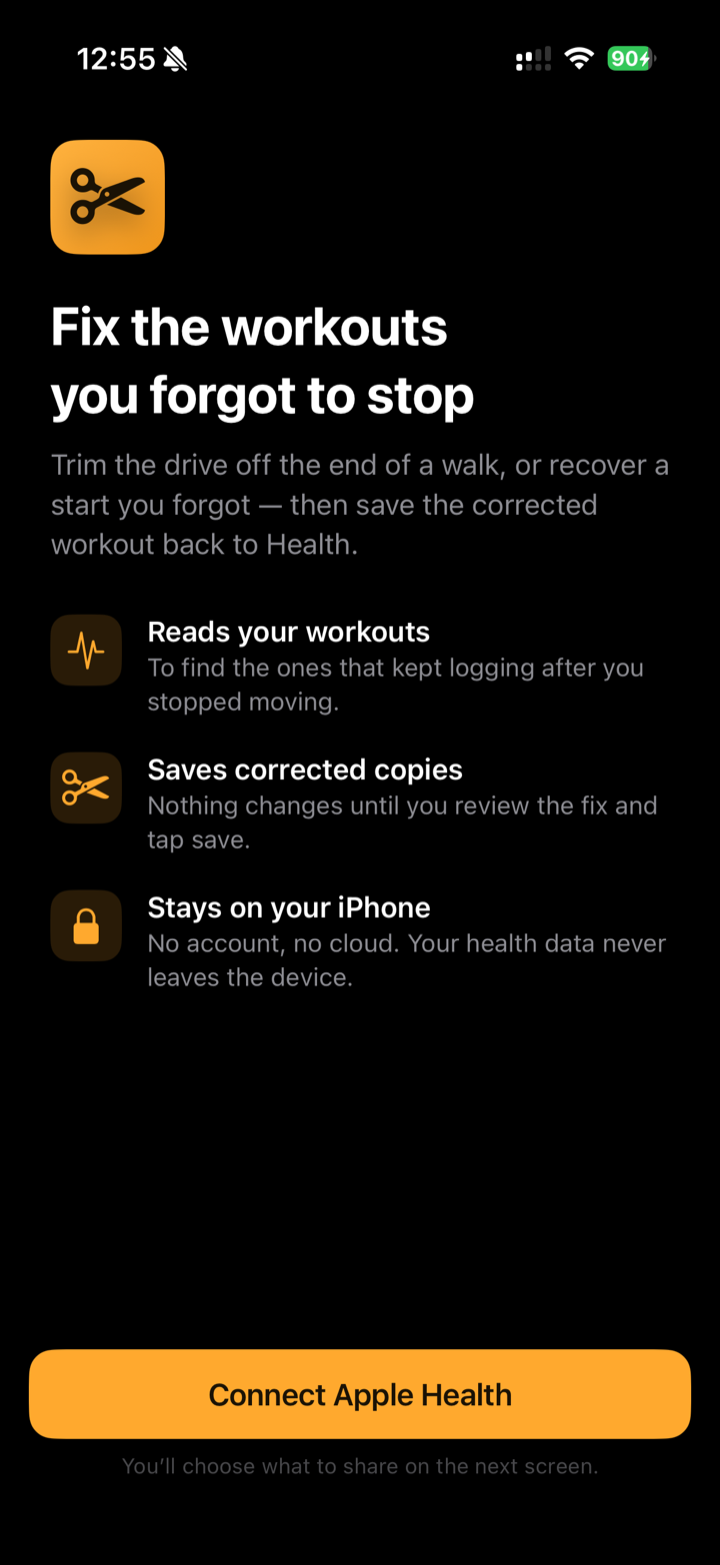
Fix the workouts you
forgot to stop.
You finished the walk, got in the car, and your Apple Watch kept logging the drive. WorkoutEditor trims that tail off — or recovers a start you forgot — and saves a clean, corrected workout back to Apple Health.
-
Nothing leaves your iPhone
No account, no cloud
Never edits the original
$5.99 · one-time purchase, no subscription. iPhone, iOS 17+.
What it does
One focused job: take a workout that recorded too much — or too little — and make it right, without ever touching the original until you say so.
Trim the drive off the end
The most common fix: you forgot to stop and the workout kept logging the car ride home. Drag the end back to where you actually finished.
Cut a dead start
Tapped Start, then stood around or drove before you got moving? Pull the start handle inward and trim the slow stuff off the front.
Recover a start you forgot
Didn't hit Start until you were already going? Pull the beginning earlier to recover the heart rate and distance you missed. (No map for that stretch — there's no GPS before the workout began, and the app says so.)
Spots the driving for you
The list flags workouts where it noticed a stretch of car-like speed — “Possible driving detected” — so the ones that need fixing find you.
See the fix happen live
Duration, distance, average pace and heart rate all recompute as you drag, with the change shown in green. You can see it getting right.
Saves a corrected copy
It never rewrites your original. It saves a clean, corrected workout alongside it — then walks you through removing the old one in the Health app if you want to.
See it
Open a flagged workout, fine-tune where it really started and ended, and watch the numbers settle into place.
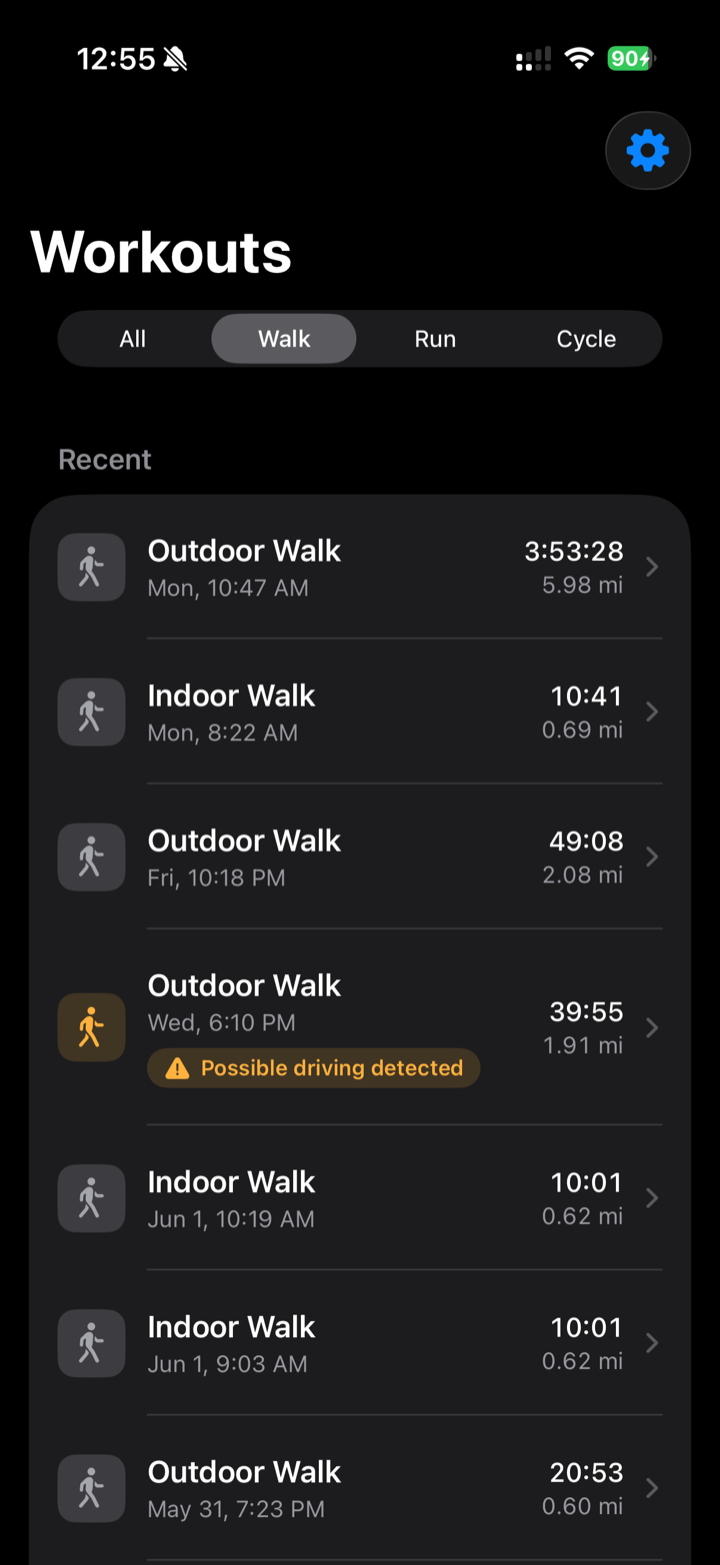
The list finds the problem. A walk that kept logging after you stopped gets a gentle badge.
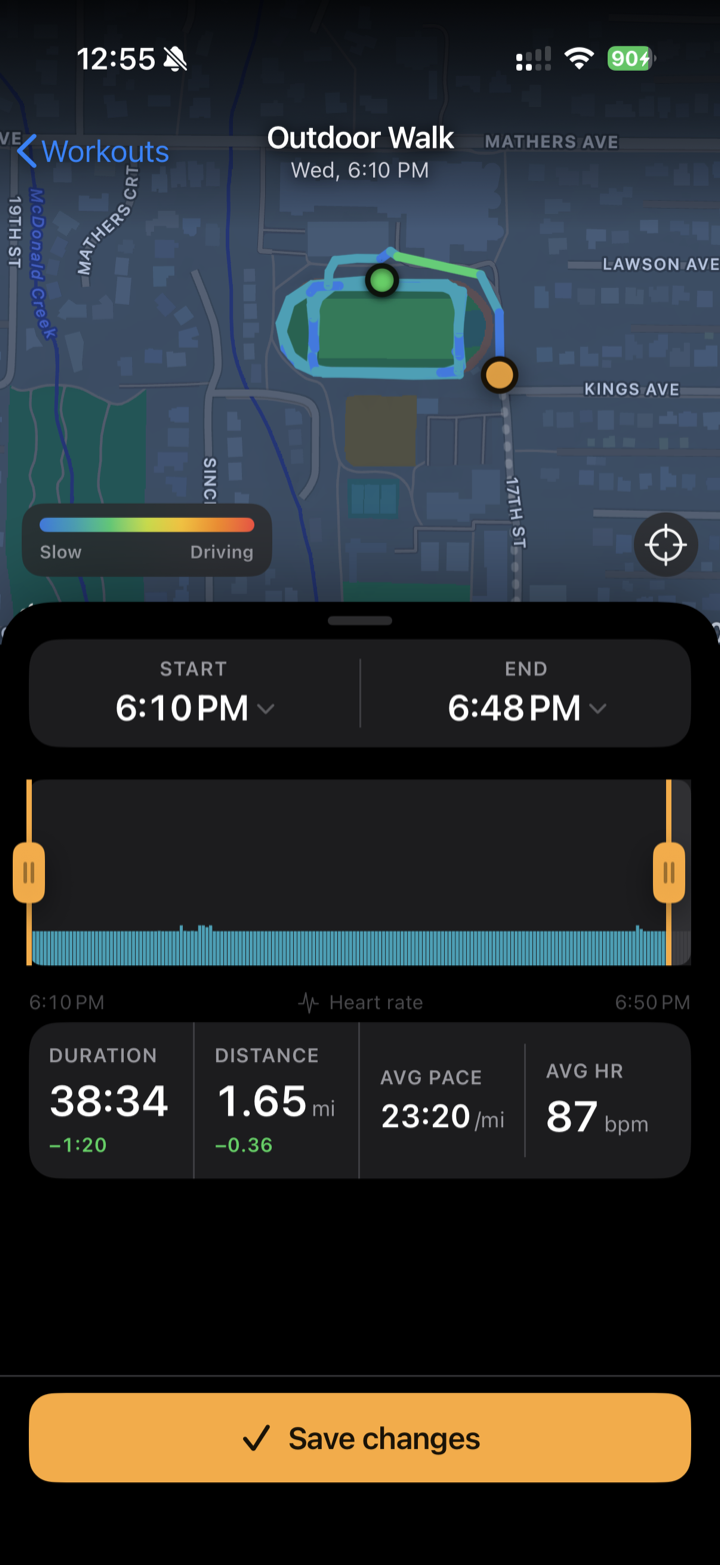
The editor makes the fix. The route is tinted by speed, so the car ride is obvious. Drag the handles; stats update live.
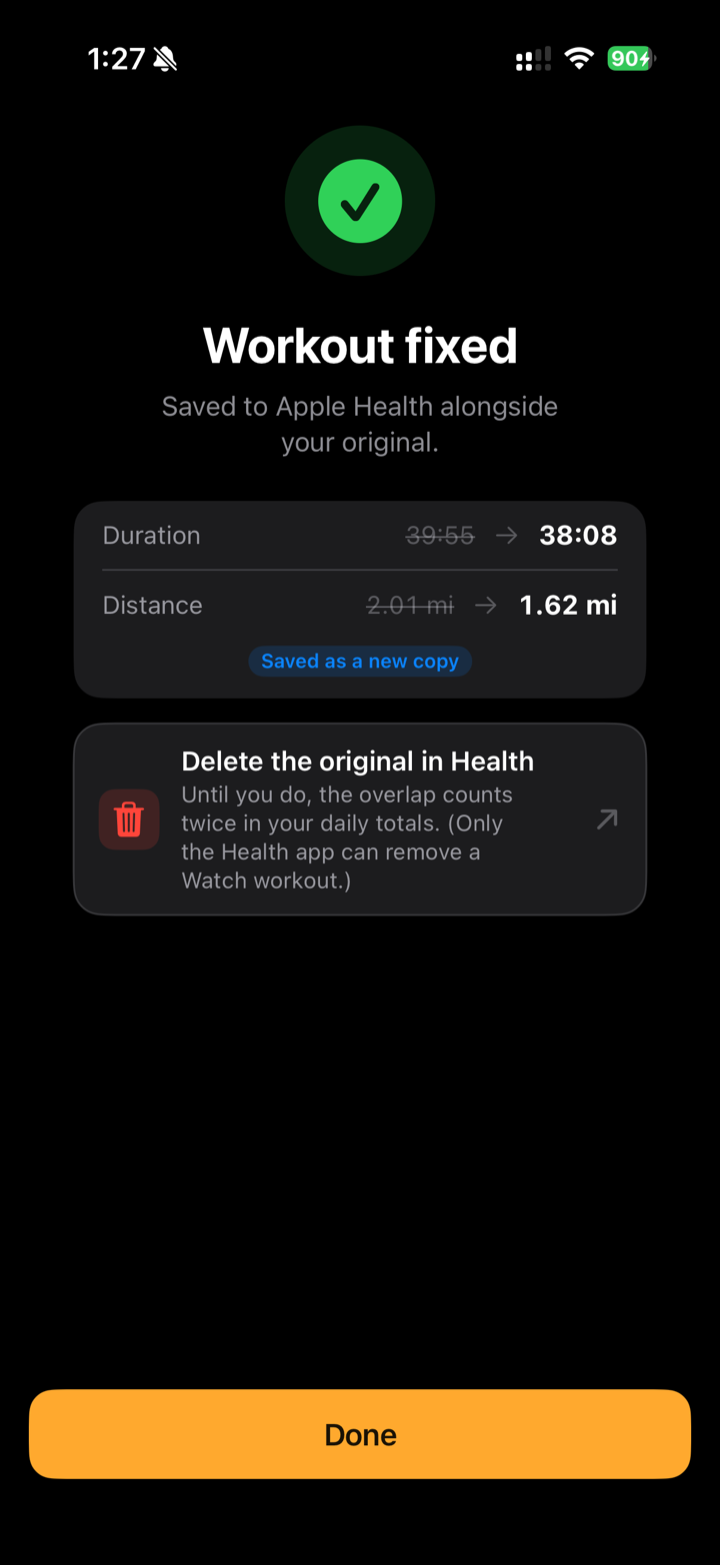
And it's fixed. The corrected workout lands in Apple Health alongside the original — with a nudge to delete the old one when you're ready.
How it works
Three steps, and nothing changes in Apple Health until the last one.
Connect Apple Health
Grant read and write access to your workouts. You choose what to share on Apple's own permission screen — and you can change it anytime in Settings.
Adjust the start and end
Open a workout, drag the handles to where it really began and ended, or tap a time to set it exactly. The map and stats follow along.
Save the corrected copy
Tap Save. The fixed workout lands in Apple Health next to the original — clean duration, distance and route, with nothing lost.
Why this exists
I kept doing the same dumb thing: finish a walk, get distracted, climb into the car, and only notice twenty minutes later that my Watch was still “walking” — at forty miles an hour. One good 5K turns into a nonsense ten-miler, and there's no button in Apple Health to fix it.
The honest options were to either live with the bad data or delete the whole workout and lose the part that was real. Neither felt right. So I built a small, careful tool that does the obvious thing: trim off the part that isn't you, keep the part that is, and save it back — without ever quietly editing your health data behind your back. It's the app I wanted the third time it happened.
Privacy
It edits your health data, so it earns trust the only way that counts: by keeping everything on your device.
Your health data never leaves your iPhone
The app reads your workouts, does its work, and writes the corrected one — all on the device. Nothing is uploaded anywhere: not to me, not to anyone.
No account, no cloud, no tracking
There's no sign-up and no server to sign up to. No analytics, no ads, no third-party SDKs watching what you do.
It never edits a workout in place
Apple Watch workouts are immutable by design, and that's a feature here: the app builds a brand-new corrected workout and leaves your original exactly as it was.
You stay in control of deletions
An app can only delete data it created — so it can't quietly remove your Watch's original. When you want it gone, the app points you to do it yourself in the Health app.
Full details are in the AppCamp privacy policy.
Frequently asked
Does it change my original workout?
No. It saves a corrected copy of the workout into Apple Health and leaves the original untouched. For a short while you'll see both, and the overlapping time counts twice in your daily totals until you remove the old one.
When you're happy with the fix, the success screen links you straight into the Health app to delete the original. (Only the Health app can delete a workout your Apple Watch recorded — a third-party app isn't allowed to, which is exactly the safeguard you'd want.)
Does any of my data get uploaded?
No. Everything happens on your iPhone. There's no account, no server, and no analytics. Your workouts, routes and heart-rate data never leave the device.
Which workouts can it fix?
Workouts in Apple Health from your Apple Watch — walks, runs, rides, hikes and the like. Outdoor workouts with GPS get the full map-and-route experience; indoor workouts with no GPS still get the timeline, handles and live stats, just without a map.
Why is there no map when I recover a forgotten start?
Because there's no GPS to show. If you didn't start the workout until partway in, your Watch wasn't recording a route before that point — so the app can recover the heart rate and distance for the earlier stretch, but the map line honestly begins where the original workout did. The app makes that clear rather than inventing a path.
Why does it need access to Apple Health?
To read the workouts you want to fix, and to write the corrected copy back. You grant that on Apple's own permission screen, and you choose what to share. You can review or change it anytime in Settings → Privacy & Security → Health.
Is it on iPhone only?
Yes — it's a native iPhone app for iOS 17 and later. There's no Apple Watch or iPad app; the editing happens on the phone.
How much is it? Any subscription?
It's a one-time purchase of $5.99 on the App Store — no subscription, no in-app purchases. You buy it once and it's yours, updates included.
Where can I get it, and how do I reach you?
It's on the App Store now. Questions or ideas? Email jeremy@appcamp.com. I'm one person — replies usually come within a day.
Fix that workout.
WorkoutEditor is on the App Store now — $5.99, one-time, no subscription.